
Course Editing Guide
Frequently asked questions by course editors and quick videos about common administrative functions of Moodle
Create Activities (give tasks to students)
Ensuring Exam Security: Closed and Open-Book Exam, Safe Exam Browser
Secure Exam Options
Where:
1. Only in Computer labs
You need to contact Classroom Support for more information or to set up and book the lab.
Exam Types:
-
Closed-book exam
-
No internet access at all.
-
Moodle activities cannot be used.
-
Students save their work to the P drive; instructors can collect the files in the lab.
-
-
Open-book exam
-
Limited internet access: only the CEU Moodle page opens, and only in Edge.
Both Assignments or Quizzes can be used for submissions
-
2. Anywhere (bring-your-own-device)
- Students need a laptop with Safe Exam Browser (SEB) installed.
- Only Quizzes are supported.
Using Safe Exam Browser (SEB):
-
When creating or editing a Quiz, enable SEB by selecting (do not change the defaults unless you know what you are doing):
“Yes – CEU template - CEU SEB template"
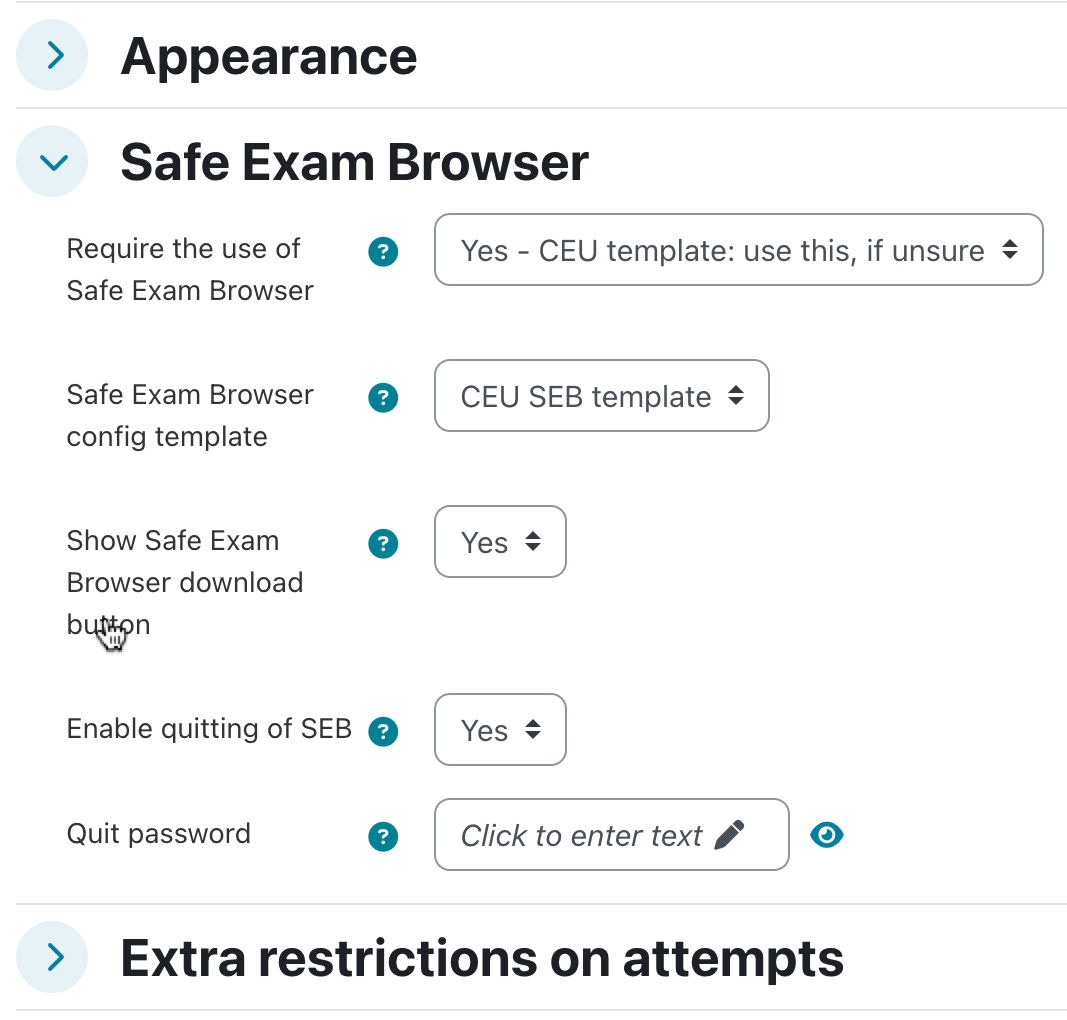
- This ensures:
-
Students start directly from the Quiz after download.
They cannot exit until the Quiz is finished.
-
Students cannot navigate away from the Quiz page or open other software during the attempt.
(Note: If you allow SEB exams at home, students may still use other devices outside of SEB’s control.)
new
If you have a student who cannot or does not need to use SEB, you can give exempt. Just add the role "SEB Exempt Student" under Participants (click the pen icon next to the student's role, type and select the new role, and click the disk icon to save). This needs to be added in addition to the existing Student role for it to take effect. If the exemption is no longer needed, you can simply remove the role.